

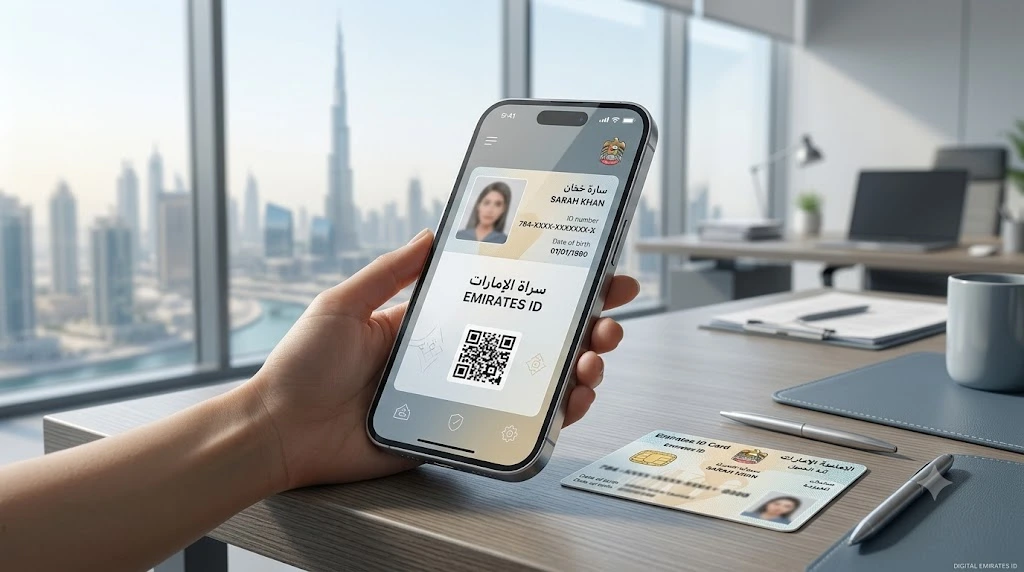
In the UAE, your Emirates ID is your main proof of identity and residency. Residents are expected to carry it at all times, and you need it for everything from government services to online applications. So what do you do when the card is lost, damaged or stuck in the renewal process?
If you lose your card, the first step is to report it to the Federal Authority for Identity, Citizenship, Customs and Port Security (ICP) and start the replacement. The good news is that you don’t have to go without ID while you wait. You can get a digital version on your phone, and it’s free.
Here are four ways to do it.
Why a Digital Emirates ID Is Useful
A digital copy comes in handy when you apply for services online or when your physical card isn’t with you. It can save you a trip and a lot of stress. That said, it’s smart to check whether the place you’re visiting accepts a digital copy before you rely on it.

1. Add It to Apple Wallet (Apple Devices Only)
The ICP lets iPhone users store their Emirates ID directly in Apple Wallet. Here’s how:
- Download the official UAEICP app and sign in with the UAE Pass app
- Select “Emirates ID” and tap your name to see your card
- Choose “Add to Apple Wallet”
- Follow the instructions to finish
Once it’s added, your ID sits in your digital wallet, ready whenever you need it.
2. Use the UAE Pass App (iPhone and Android)
UAE Pass is the national digital identity system. It lets residents log in to many government platforms and use thousands of online services.
To view your Emirates ID there:
- Download the UAE Pass app
- Log in with your UAE Pass details
- Go to “Add documents” and find the Emirates ID option under the “Personal” section
- Tap “Request”
After a few minutes, your ID should show up in the “Documents” section of the app. This option works on both Apple and Android phones.
3. Use the UAEICP App (iPhone and Android)
The UAEICP app lets you view and download a digital copy of your Emirates ID.
- Download and open the UAEICP app
- Log in with your UAE Pass account
- Select “Emirates ID” on the home page
- Tap your name to view your digital ID
You can also download a PDF version. On any smartphone, you can save it to your device, which is useful when you need to upload or attach the ID straight from your phone. Since the PDF is saved on your phone, you can open it even without an internet connection.
4. Generate a QR Code for Temporary Access
If your Emirates ID has expired or is still being processed, you can create a Quick Response (QR) code in the UAEICP app. It lets you submit your ID for verification during transactions or government services for a short time.
Here’s how:
- Open the UAEICP app and tap “Emirates ID QR Code” on the home screen
- Pick a verification method
- Submit your details
You have two ways to verify. One asks for your Emirates ID or unified number. The other asks for personal details: your nationality, passport type, passport number, date of birth and sponsor number. If you have no dependents, enter “0” for the sponsor number.
The system then creates a QR code that holds your Emirates ID details. Below it, you can also see your Emirates ID number, unified number and expiry date. Government departments and other organisations can scan the code where an Emirates ID is needed. Think of it as a temporary fix until your physical card arrives.
Which Option Should You Pick?
If you use an iPhone and want quick access, Apple Wallet is the easiest. If you want something that works on any phone, go with UAE Pass or the UAEICP app. When you need a file to upload or attach, download the PDF. And if your card has expired or is still being processed, the QR code is your best bet.
A Few Simple Tips
Keep your UAE Pass login handy, since almost every option needs it. Download the PDF ahead of time so you’re not scrambling when a deadline is close. And don’t wait to report a lost card, because the replacement can only begin once you’ve told the ICP.
Related Reading
Your Emirates ID is tied to your residence and work status, so it’s worth knowing the rules around both. If you’re new to the country or changing jobs, our guide on which of the 13 UAE work permits applies to you explains each type in simple words.
Visa rules also shift often, especially around renewals. You can catch up with our summary of the latest Dubai visa updates for residents and visitors before your next renewal.
The Bottom Line
Losing your Emirates ID is stressful, but it doesn’t have to stop you from getting things done. A free digital copy is only a few taps away, whether through Apple Wallet, UAE Pass, the UAEICP app or a temporary QR code. Pick the method that fits your phone and your situation, and report a lost card straight away so your replacement is on its way.